How to Use
First select what sensor you are connecting, then select what equipment you are pairing with.
How to Use your Indoor and Outdoor Temperature/Humidity Sensor to the S86WMUPR Thermostat:
On the Thermostat detailed page, click on Sensors at the bottom part of the screen
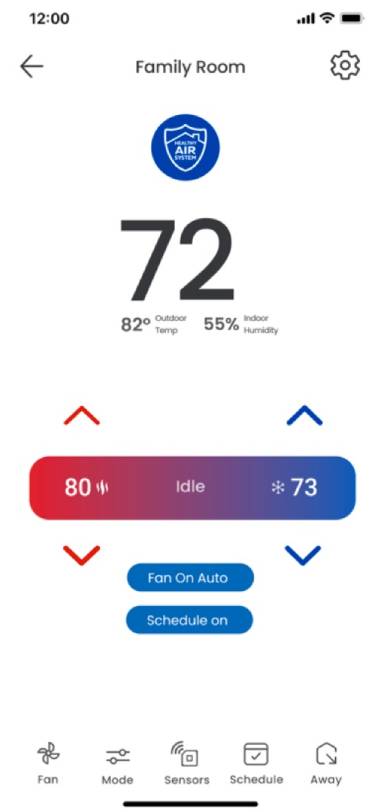
On the sensor list, select the sensor you want to see the details
.png)
In the details page, information about the sensor and history graphs are available for the users
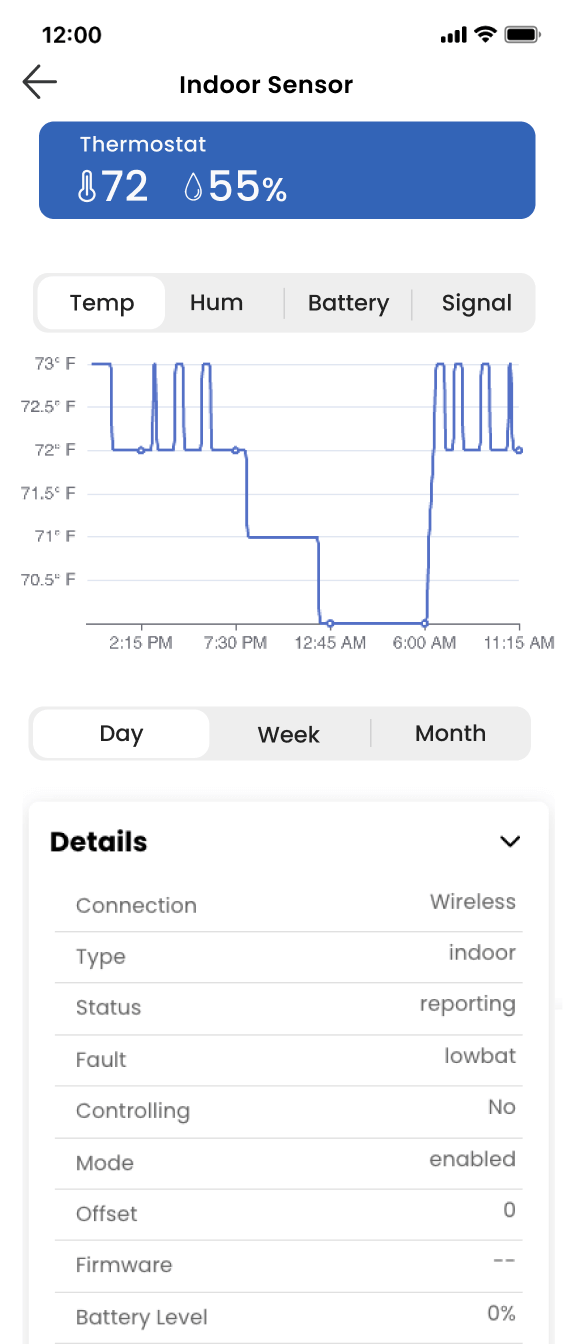
When the battery of the sensor is low, a warning banner will be displayed in this screen and a notification is sent to user.
.png)
How to Use your Indoor and Outdoor Temperature/Humidity Sensor to the S86WMUPR Thermostat:
On the Thermostat detailed page, click on Sensors at the bottom part of the screen
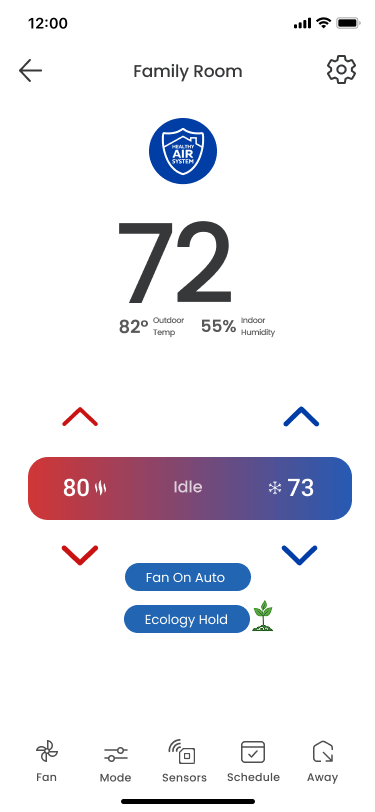
On the sensor list, select the sensor you want to see the details
In the details page, information about the sensor and history graphs are available for the users
When the battery of the sensor is low, a warning banner will be displayed in this screen and a notification is sent to user.
How to Use your Outdoor Temperature/Humidity Sensor to the Wi-Fi Dehumidifier:
On the Thermostat detailed page, click on Sensors at the bottom part of the screen
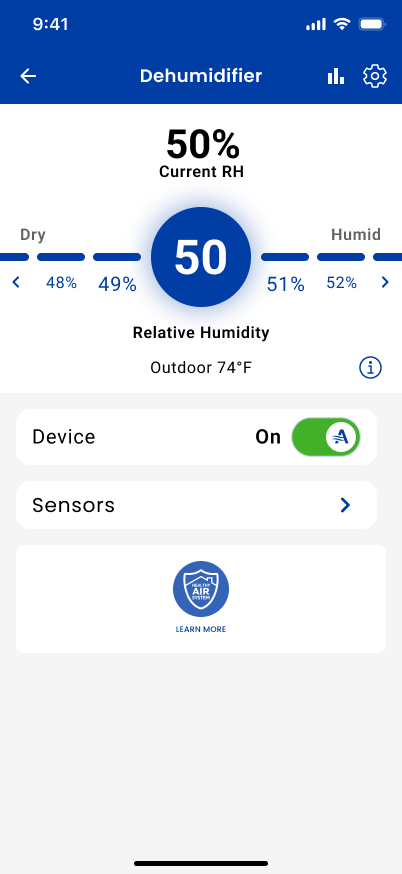
On the sensor list, select the sensor you want to see the details
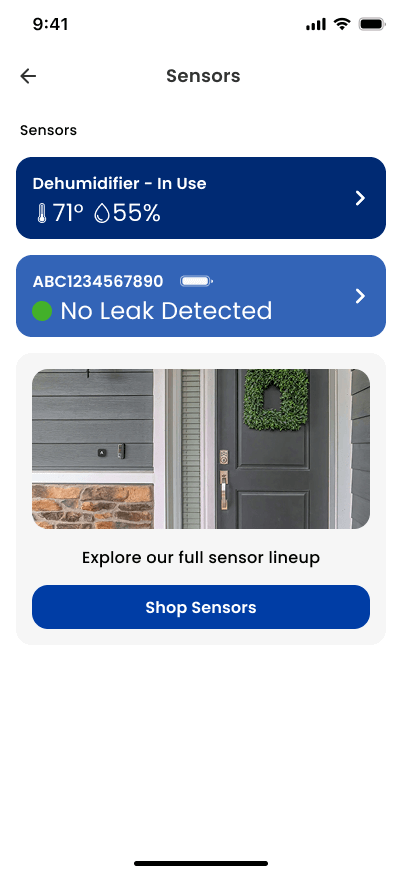
In the details page, information about the sensor and history graphs are available for the users
When the battery of the sensor is low, a warning banner will be displayed in this screen and a notification is sent to user.
How to Use your Water Sensor to the S86WMUPR Thermostat:
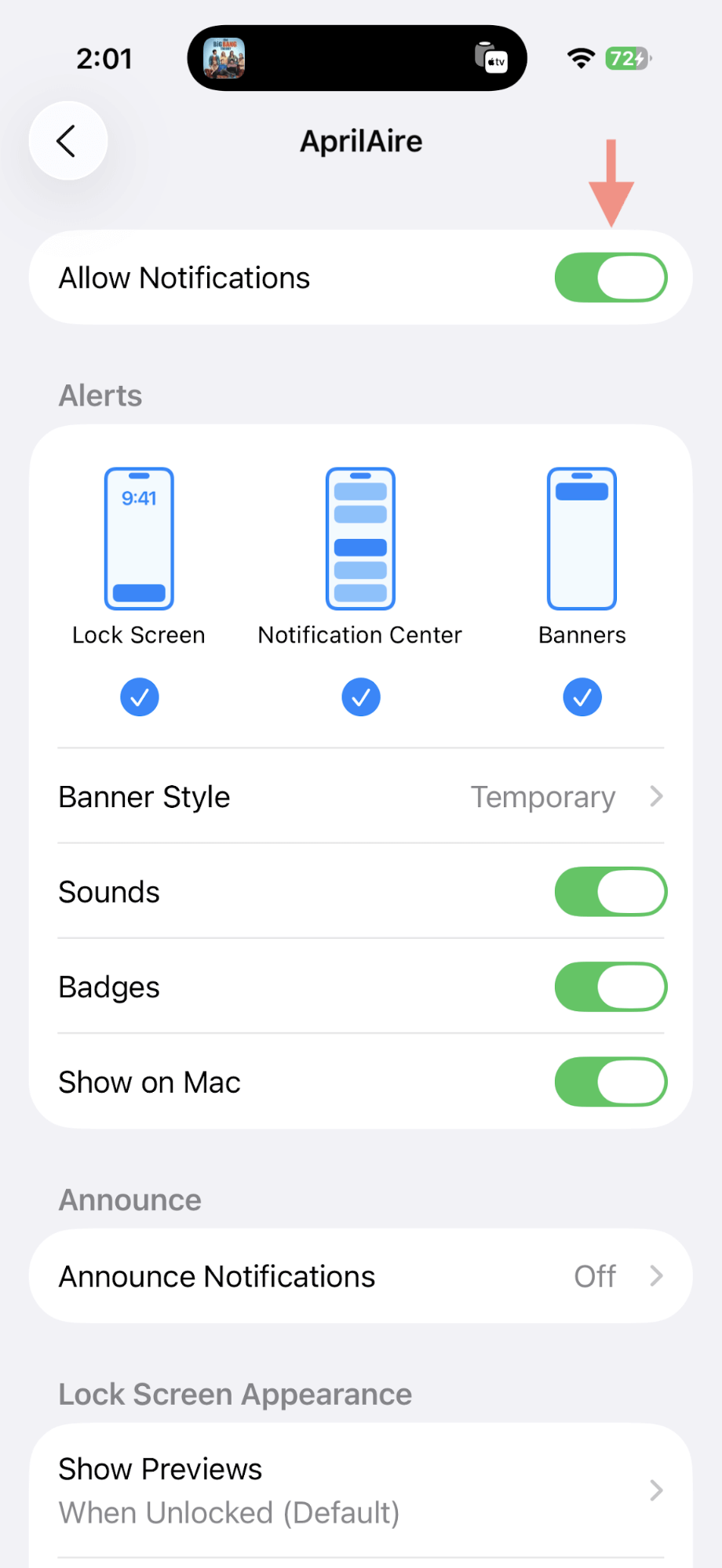
Before using the app, please make sure push and email notification are turned on.
To check, please go to your phone notification settings and make sure the Allow Notification toggle is ON
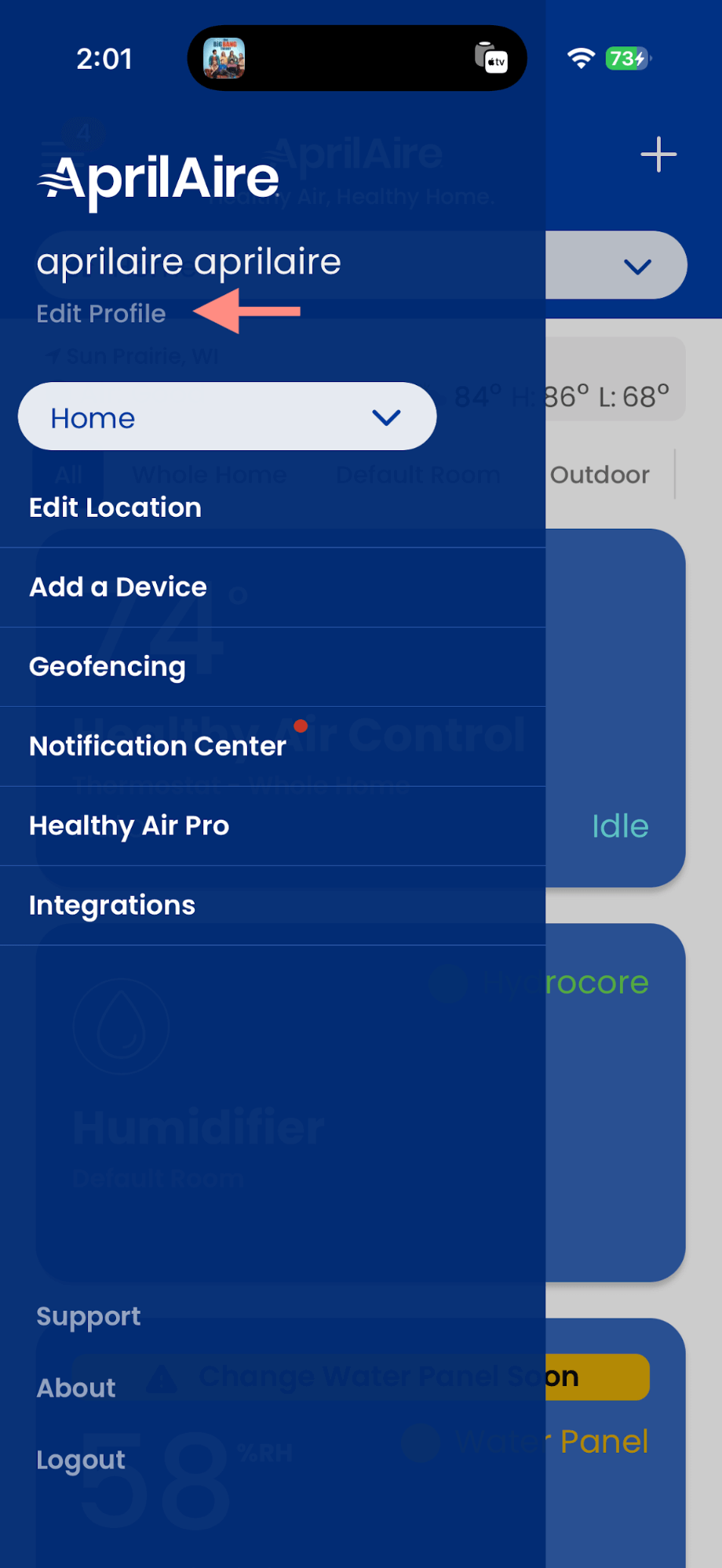
Next, open the AprilAire app, open the left menu and tap on Edit Profile
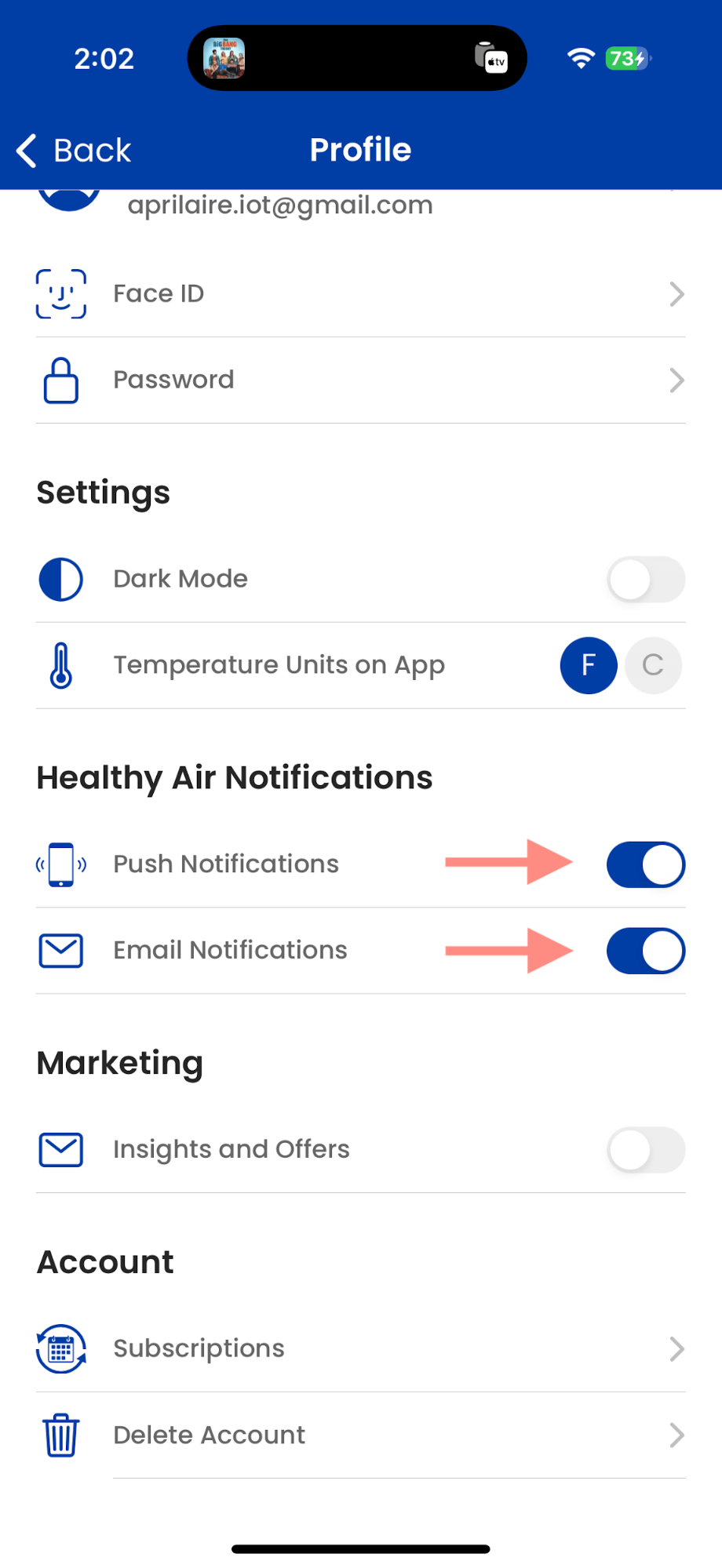
Please enable both push notification and email notification to make sure you will be notified in case of water detected
On the Thermostat detailed page, click on Sensors at the bottom part of the screen
On the sensor list, select the sensor you want to see the details
.png)
In the details page, information about the sensor and history graphs are available for the users
.png)
If a water is detected, a push notification is sent, and an orange banner will be displayed in the home screen of the AprilAire app
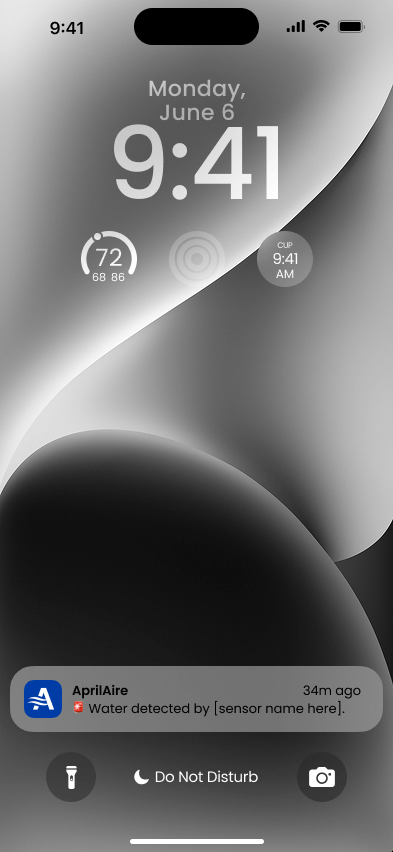
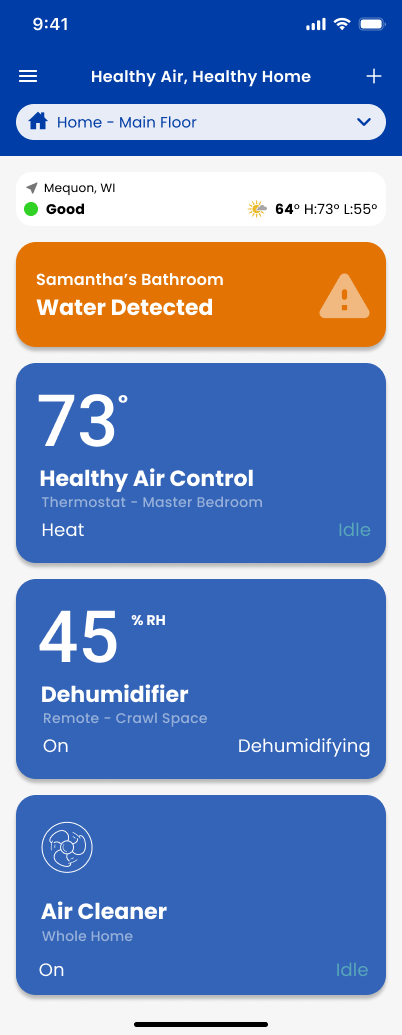
If the battery level is low, a push notification is sent, and a banner will be displayed in the home screen and in the sensor detail page of the AprilAire app
.png)
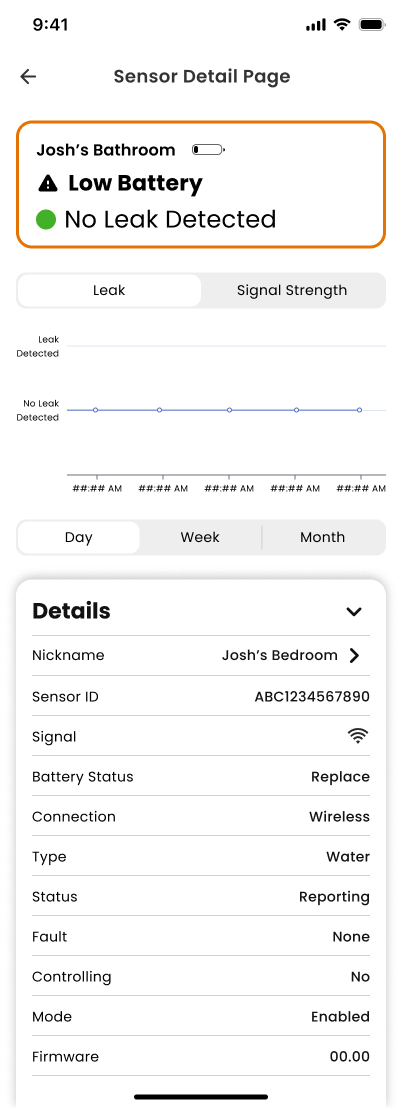
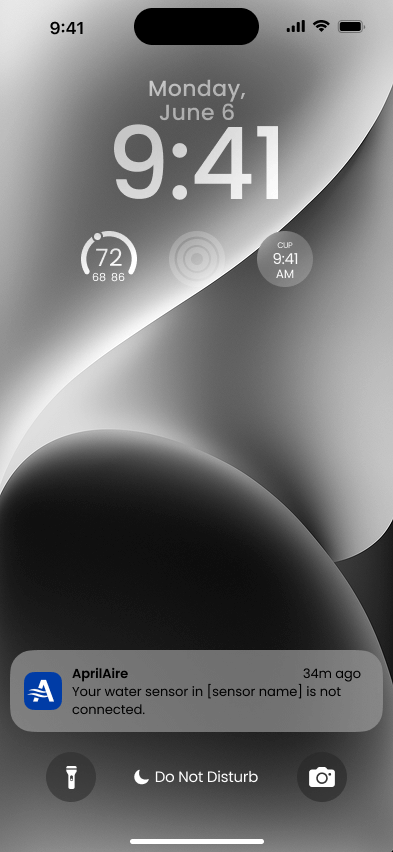
If the sensor loses connection and goes offline, a push notification is sent, and the sensor will be grayed out in the sensor list until connection is restored.
.png)
To rename the sensor, simply type the desired name in the sensor detailed page and tap on Save
.png)
How to Use your Water Sensor to the Wi-Fi Dehumidifier:
Before using the app, please make sure push and email notification are turned on.
To check, please go to your phone notification settings and make sure the Allow Notification toggle is ON
Next, open the AprilAire app, open the left menu and tap on Edit Profile
Please enable both push notification and email notification to make sure you will be notified in case of water detected
On the Dehumidifier detailed page, click on Sensors at the bottom part of the screen
On the sensor list, select the sensor you want to see the details
In the details page, information about the sensor and history graphs are available for the users
If a water is detected, a push notification is sent, and an orange banner will be displayed in the home screen of the AprilAire app
If the battery level is low, a push notification is sent, and a banner will be displayed in the home screen and in the sensor detail page of the AprilAire app
If the sensor loses connection and goes offline, a push notification is sent, and the sensor will be grayed out in the sensor list until connection is restored.
To rename the sensor, simply type the desired name in the sensor detailed page and tap on Save
No matching result found for your selection.